

As organizations accelerate AI adoption, keeping data secure, controlling costs and holding teams accountable gets harder. Business leaders need clear visibility into who is using AI resources, where they are spending and how sensitive data is protected, without slowing innovation.
Today we’re introducing Namespaces in Fabric Gateway, Postman’s AI gateway for LLMs, MCP servers, APIs and agents. Namespaces give each team its own dedicated, isolated space for its connections, credentials, access and activity, while giving your organization clear visibility into usage and spend. You don’t deploy any new infrastructure, you don’t migrate anything, and everything you already run keeps working as before.
One gateway, many teams
Fabric Gateway is a single entry point for every model, MCP server and API your organization uses. Teams connect their tools once, and every call flows through one place where it can be secured, routed and observed.
While this approach works well for individual teams, scaling AI adoption across the enterprise introduces three critical challenges:
- Teams can’t keep their work apart. One team’s credentials, tools and logs sit next to everyone else’s. Anyone with broad permissions can see all of it, even when they have no reason to.
- Usage can’t be traced back to a team. Dashboards show one big number for the whole organization. When a model bill jumps, nobody can easily say which team or project drove it.
- Every new team waits on a central admin. Teams file a ticket and wait for someone with organization-wide rights to set up their connections, keys and access. The more teams adopt AI, the longer that queue gets.
A real example: keeping sensitive prompts private
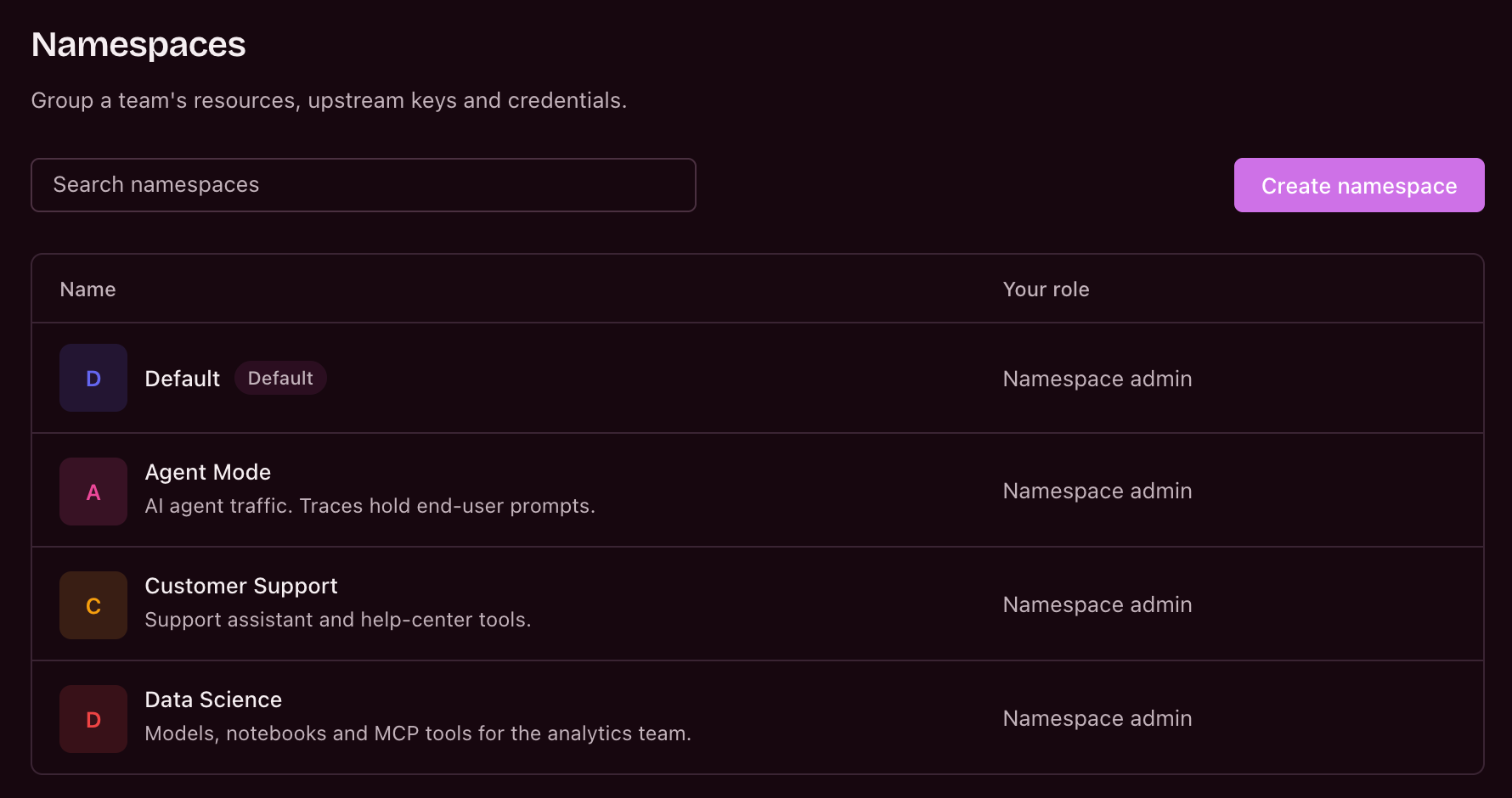
Postman’s Agent Mode team was one of the first to adopt Fabric Gateway Namespaces. It manages agentic AI traffic containing user-generated prompts, which may include sensitive information. As AI adoption expands, protecting this data while keeping operational visibility becomes increasingly critical.
Before Namespaces: every team shared one organization-wide space, so the team’s resources were visible across the organization, as they are for any team in that shared space.
With Namespaces: the team moved into its own namespace, and only its Namespace admins and the organization’s admins can see those resources, over 90% fewer people than before. The team’s logs and traces stay limited to the same admins.
The business impact: stronger security governance and less exposure of sensitive AI data, all within a single gateway, with no additional infrastructure or migration.
Meet Namespaces: a dedicated space for every team
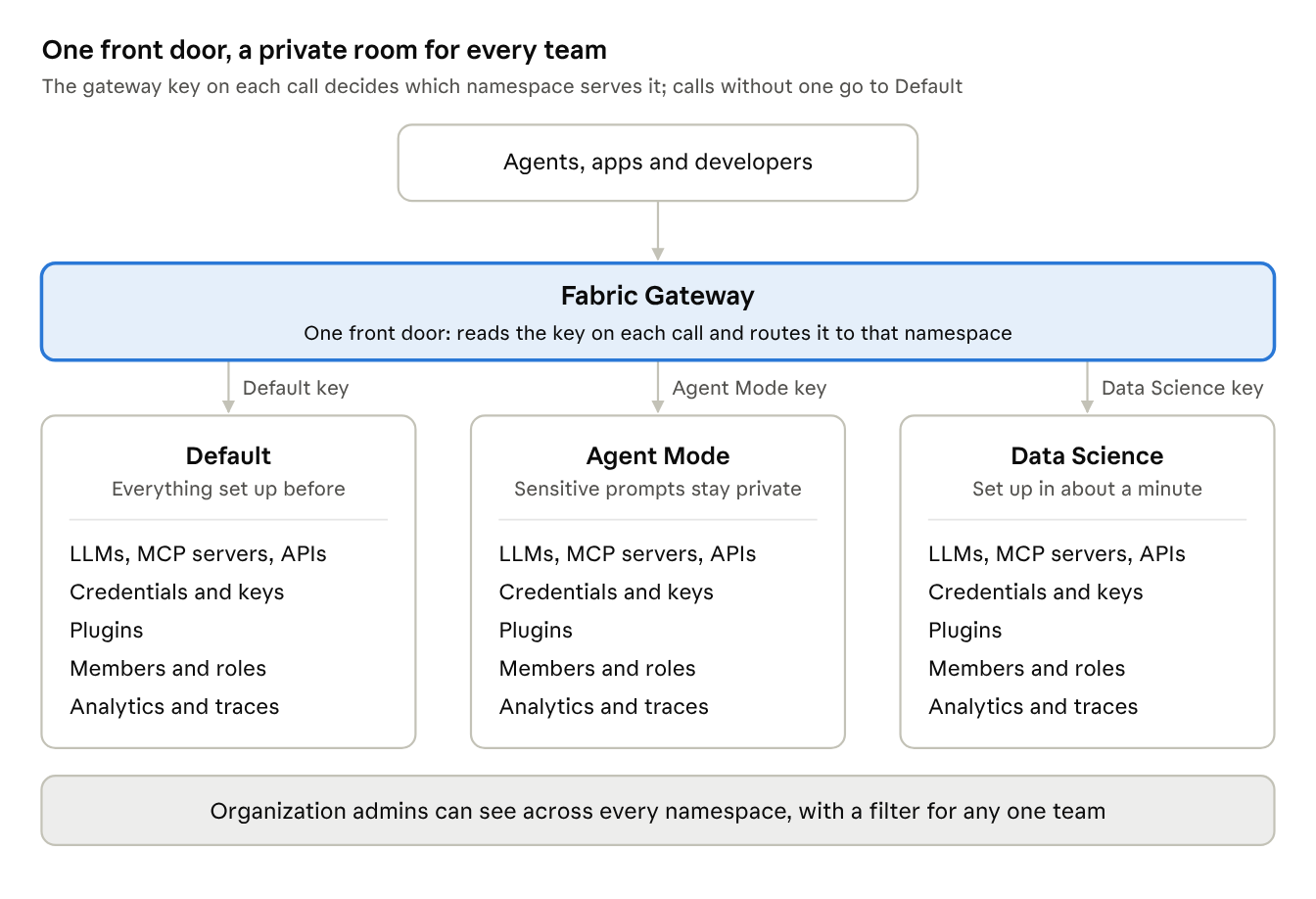
Think of Fabric Gateway as the central entry point to your organization’s AI ecosystem, with Namespaces providing a dedicated, secure environment for each team. Everyone works through a single gateway while keeping the isolation, control and autonomy needed to scale AI securely across the enterprise.
A namespace can stand for a team, a project or an environment. Each one holds its own:
- Connections: the LLMs, MCP servers (which give AI agents their tools) and APIs the team uses, plus the routes (endpoints) it publishes
- Credentials and keys: the secrets used to reach those services, and the gateway keys callers use
- Plugins: rules applied to that team’s traffic, such as rate limits, guardrails and access control
- People: who can reach the namespace, and who can manage it
- Activity: its own analytics and traces (step-by-step records of each request)
Why it matters for your business
Teams still connect tools and send traffic just as before. What changes is how much risk, cost and waiting comes with every new team.
Strengthen security and reduce risk. Each team’s credentials, keys, tools, logs and sensitive AI data live in its own namespace, which doesn’t even appear to anyone outside the team (other than organization admins). Role-based access means only authorized people can access its analytics and traces. A gateway key works only in its own namespace, so an unknown or revoked key never falls through to another team, and removing someone from a team removes their access.
Make AI spend visible and attributable. Every request is attributed to a team, so analytics show traffic, errors, performance, token usage and spend per namespace, and “which team drove that bill?” has a clear answer. Each namespace can have its own budget, which Fabric tracks and can enforce as a spending limit, so teams own their AI investment and finance can see where the money is spent.
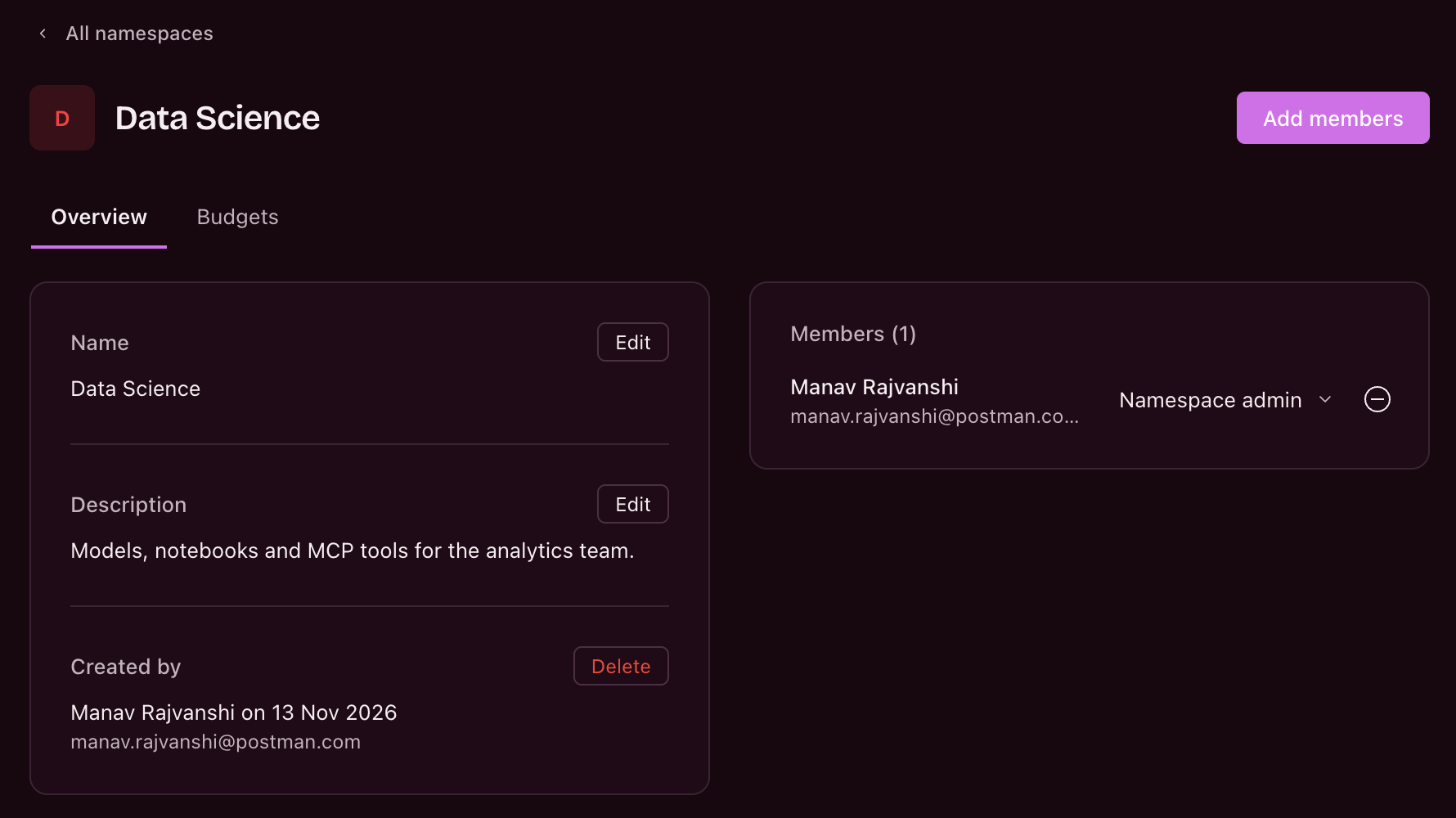
Give teams speed and autonomy. Each namespace has two roles, Namespace admin and Member. Namespace admins add people and manage their namespace’s resources and permissions without organization-wide permissions, so a new team gets started in about a minute instead of waiting on a central admin, and without deploying another gateway.
Keep enterprise-wide governance and oversight. Organization admins can reach every namespace and see activity, usage and performance across all of them in one place, with a filter to narrow down to any single team. When a namespace is deleted, its usage and trace history is kept, so audit history is preserved.
Scale without disruption. Every organization starts with a Default namespace. Everything you set up before Namespaces lives there and keeps working, so teams can move into their own namespaces gradually, with no migration and no change to established workflows.
Get your team up and running in about a minute
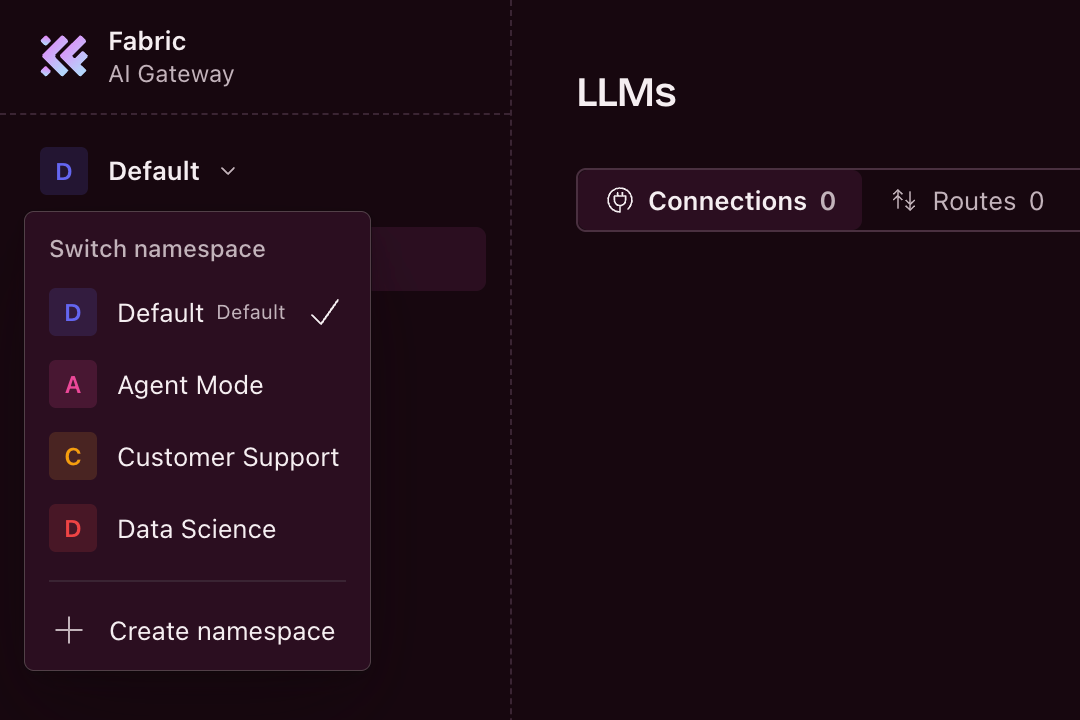
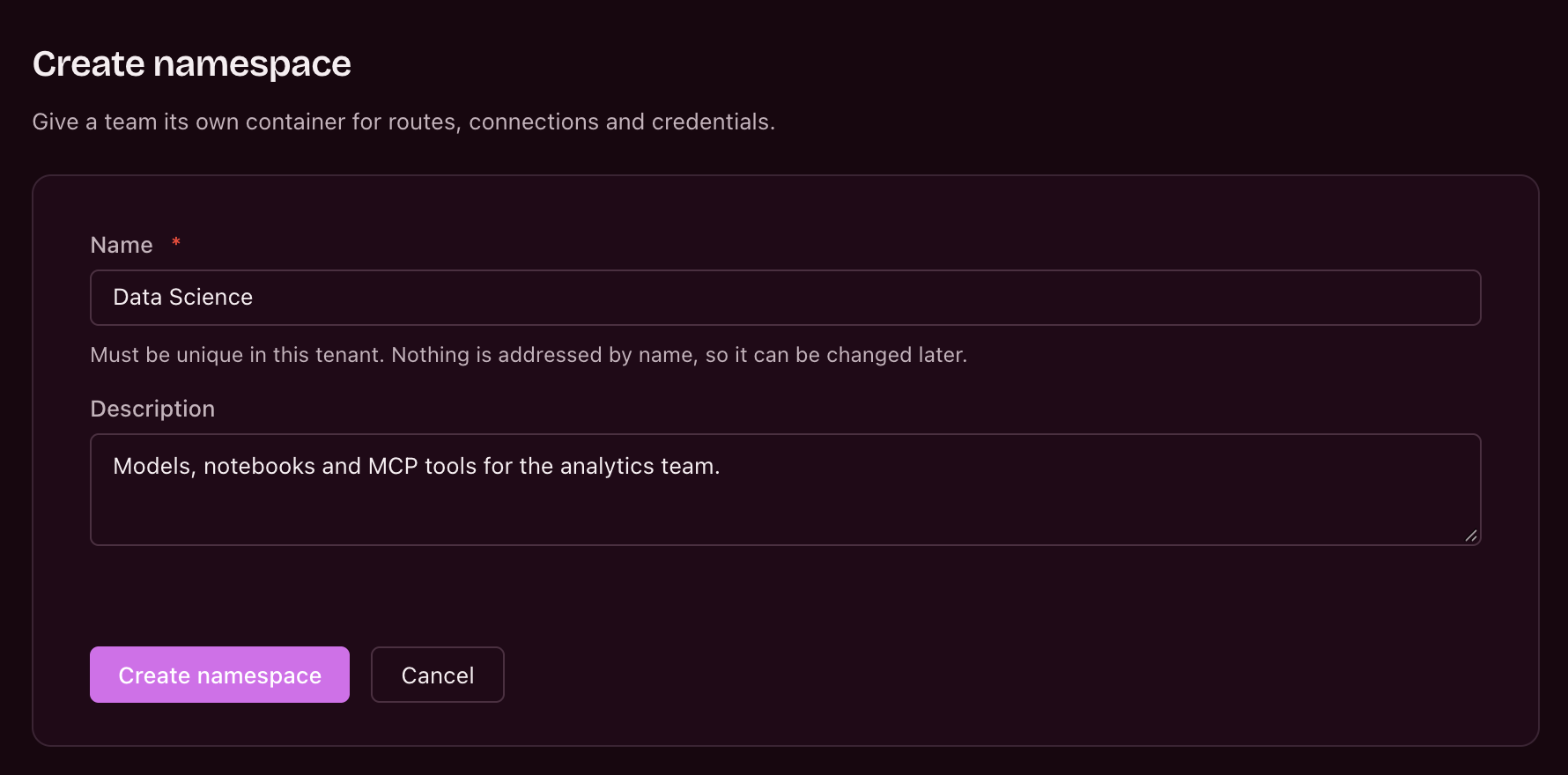
Teams can set up their own secure, dedicated space in a few steps, with no extra infrastructure or complex configuration. Choose Create namespace from the namespace switcher at the top of the sidebar and give it a name, and you become its first Namespace admin. Add your teammates from the Members page, connect the LLMs, MCP servers, APIs and credentials they need, and create gateway keys for their agents and apps. From then on, Analytics and Traces show only that team’s usage, performance and activity.
Get started
Scale AI adoption across teams without compromising security, cost control or governance. Fabric Gateway Namespaces give teams secure, independent environments with clear spending accountability and less administrative overhead.
Namespaces are now generally available on Fabric Gateway, and work with your existing setup, which is already waiting in the Default namespace.
Get started in Fabric Gateway, explore the setup guide, or learn more about Namespaces.